

Languages Profile
The Languages Profile dashboard shows which Java releases, JDK builds, and Kotlin versions the applications in the fleet run on.
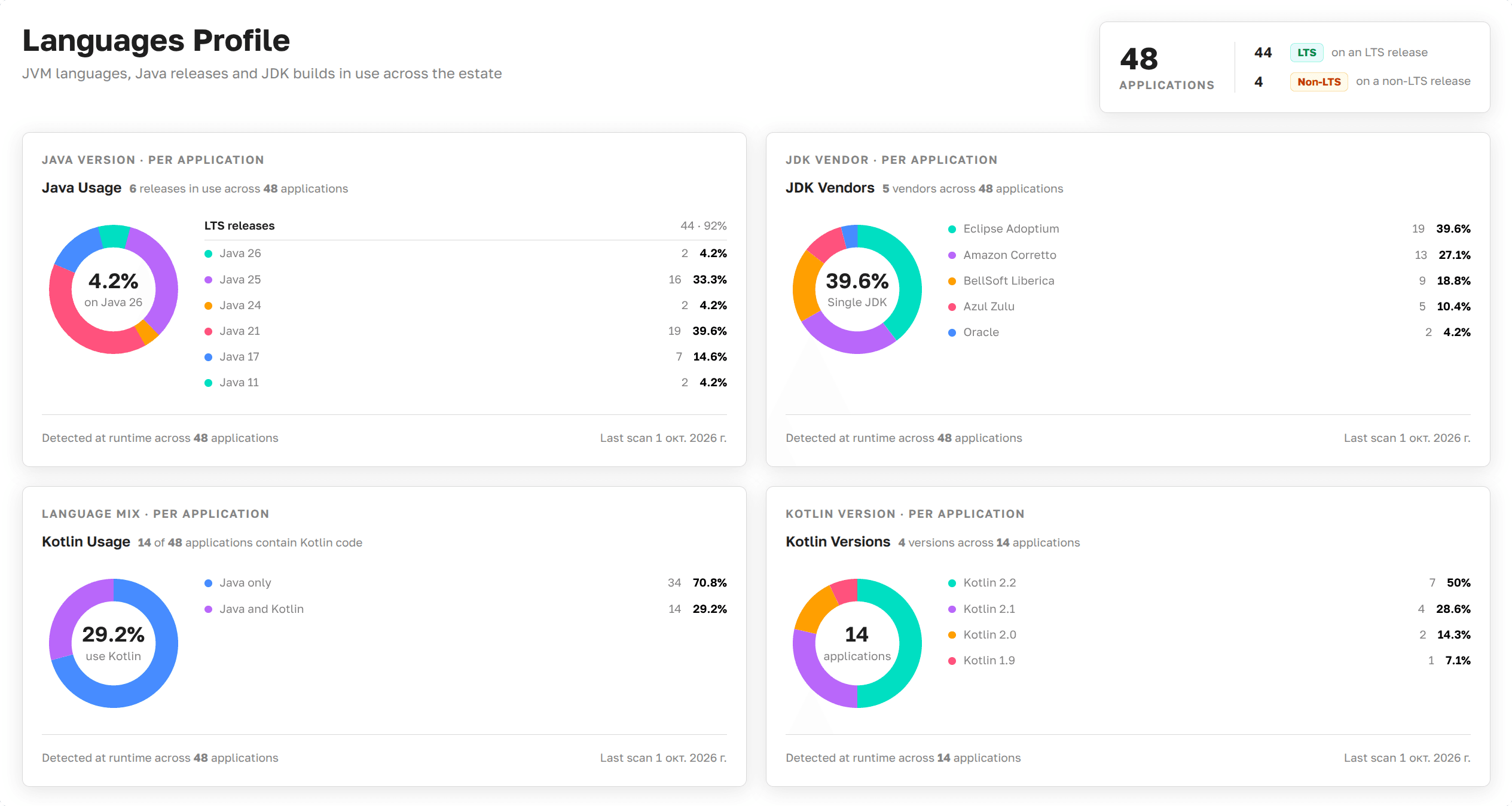
Languages Profile as presented in Axelix UI
In a fleet of dozens of applications, each one can run on its own Java release, with a JDK from its own vendor, and with or without Kotlin. Languages Profile shows it for the whole fleet at once: how many applications are still on non-LTS Java releases, how many JDK vendors are in use, and how far Kotlin has spread.
The page is read-only and available to every authenticated user: VIEWER, EDITOR, ADMIN, and SUPER_ADMIN can all open it. See Roles and authorities for the full role/authority matrix.
What the page shows
A summary on top shows how many applications the fleet has, and how many of them run on an LTS release of Java and how many don't.
Below, the page shows:
- How the applications are spread across Java releases, for example Java
21or25, and which releases are LTS. - Which JDK vendors the applications run on, for example Eclipse Temurin, Amazon Corretto, or Azul Zulu.
- How many applications contain Kotlin code, and how they are spread across Kotlin versions, for example
2.1.
When no application contains Kotlin code, the page says so instead of showing the Kotlin charts.
How it works
Master detects the Java release, the JDK vendor, and the Kotlin version of each application at runtime. It records them once a day and uses the latest record. An application counts once however many instances it runs. An application that stopped reporting stays on the page with the data it last reported.
Java 11 and 17 are LTS releases, and starting from Java 21, every fourth release is: 21, 25, 29, and so on. A JDK that Axelix doesn't recognize is shown as Unknown.