

Caches
The Caches page provides access to all configured caches in the Spring Boot application. It displays a per-cache hit/total ratio chart, hit and miss counts, the estimated number of entries, allows status management, and supports clearing individual caches or all caches at once.
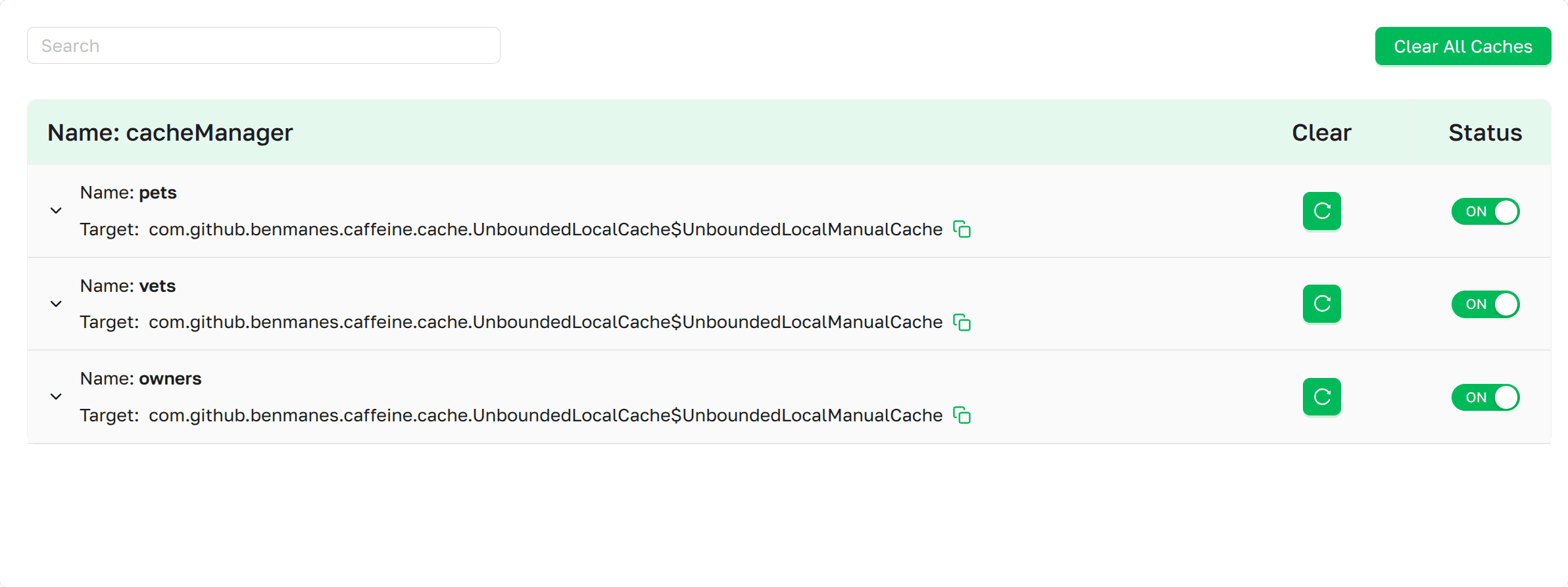 Caches page as presented in Axelix UI
The page itself is available to every authenticated user — VIEWER, EDITOR, ADMIN, and SUPER_ADMIN can all open it and inspect cache statistics. The destructive actions are gated by separate authorities:
- Clear cache and Clear All Caches require the
CACHES_CLEARauthority. - Status toggle (enable / disable a cache) requires the
CACHES_TOGGLEauthority.
Both authorities are granted by the built-in EDITOR, ADMIN, and SUPER_ADMIN roles. VIEWER sees the controls but cannot interact with them. See Roles and authorities for the full role/authority matrix.
When a control button is visible but your account lacks the required authority, Axelix leaves it disabled and shows a tooltip with the corresponding message on hover.
A scrollable list of all configured Caches in the application, grouped by their respective Cache managers.
- Search: Input that filters the list by cache name or cache manager name. (See Interactive Features)
- Clear All Caches: Button to clear all caches. (See Interactive Features)
- Name: The name of the cache manager.
Each cache row also shows:
- Name: The name of the cache.
- Target: The fully qualified name of the native cache implementation, with a copy-to-clipboard control.
- Clear: Per-cache button to clear that cache. (See Interactive Features)
- Status: Toggle that enables or disables the cache at runtime. (See Interactive Features)
Caches for which lookup statistics are available can be expanded to reveal the Cache Details section. Caches that do not report lookup statistics are still listed, but cannot be expanded.
The Cache Details
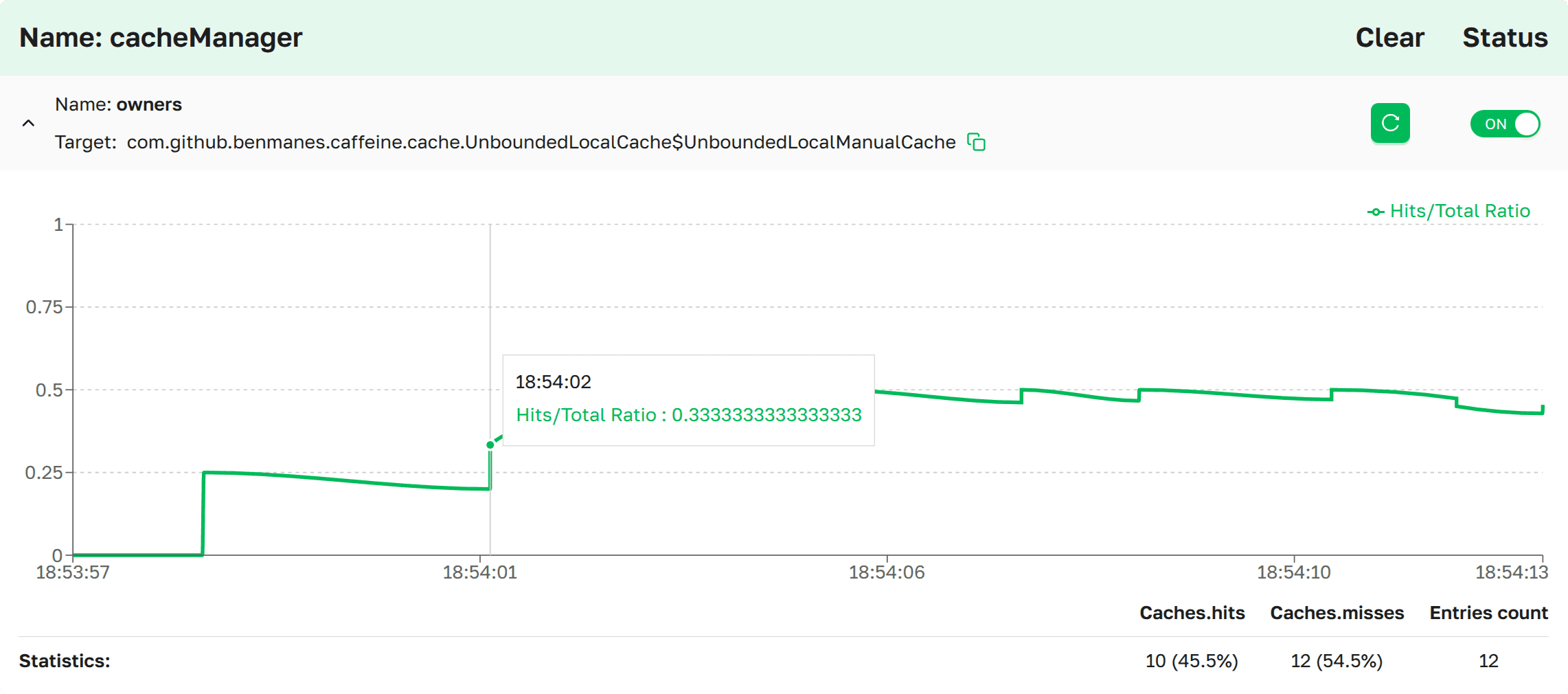 Cache details page as presented in
Axelix UI
Cache details page as presented in
Axelix UI
The details section contains a line chart of the Hits/Total Ratio — the share of hits within a sliding window over
the recorded lookup history. The Y axis is always 0..1. The X axis is the lookup timestamp; its tick granularity is
selected automatically based on the displayed range (seconds, minutes, hours, days, or months).
Hovering the chart shows the ratio at the corresponding timestamp.
Below the chart, the Statistics row summarizes the recorded lookups:
- Hits: The total number of cache hits, with the share of hits relative to all recorded lookups.
- Misses: The total number of cache misses, with the share of misses relative to all recorded lookups.
- Entries count: The estimated number of entries in the native cache. Only displayed when the cache reports a
size — currently this is supported for Caffeine
CacheandConcurrentHashMap-backed caches (such asConcurrentMapCache).
Interactive Features
Search
Type into the search input above the list to filter the displayed cache managers. A cache manager is shown when either its name or the name of any cache it owns contains the entered text (case-insensitive).
Clear All Caches
We provide a convenient way to clear all caches in the application. To do so, click the 
Clear cache
To clear an individual cache, click  next to the desired cache.
Status
We provide the ability to manage the state of a specific cache. The initial state of each cache is (on)  , meaning the cache is enabled.
To disable it, switch the Status to (off)
, meaning the cache is enabled.
To disable it, switch the Status to (off)  .
.
MCP Tools
Caches can also be inspected and cleared by an AI agent through MCP — see the MCP Tools catalog.
Enable Dedicated Actuator Endpoint
If you are on Axelix 1.2.0 or later, none of this is required: the starter registers its custom actuator endpoints by itself, and Axelix no longer requires the health/info endpoints to be enabled — it works perfectly well without them. No configuration is needed here.
The page is backed by the axelix-caches actuator endpoint contributed by the Axelix Spring Boot Starter. Expose it
through the standard Spring Boot Actuator properties — see Configuring Spring Boot
Starter for the full list
of Axelix endpoints and surrounding setup:
management.endpoints.web.exposure.include=axelix-caches