

Details
The Details page provides information about a managed Spring Boot application instance. This page displays technical metadata, runtime information, and build details in an organized, easy-to-read format.
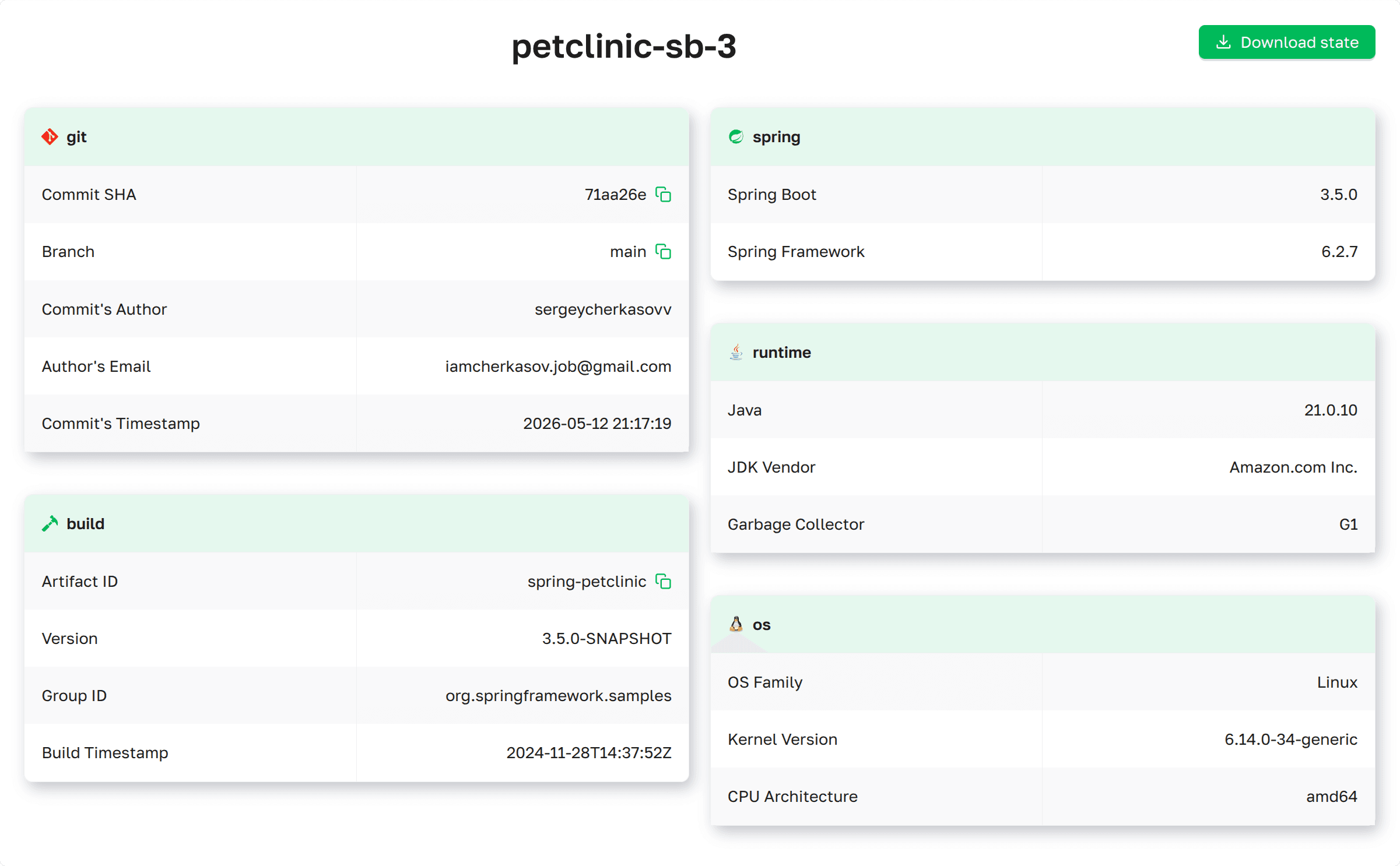 Details page as presented in Axelix
UI
Details page as presented in Axelix
UI
The page is available to every authenticated user — VIEWER, EDITOR, ADMIN, and SUPER_ADMIN can all open
it and trigger the Download state export. Note that the environment-properties and configuration-properties files
inside the exported archive are still subject to the per-page authority masking: callers without ENV_VALUES_READ /
CONFIG_PROPS_VALUES_READ get ****** for those values. See Roles and
authorities for the full
role/authority matrix.
Service Information Inner Header
- Instance Name: The name of the application instance. The postfix may vary depending on the runtime and discovery environment of Axelix Master.
- Download state Export application state as a ZIP archive containing selected diagnostic components. The export includes various application state snapshots that can be used for debugging, analysis.
Download state Components
The download dialog allows you to select which components to include in the export:
- Heap Dump - JVM Heap memory snapshot
- Thread Dump - Current thread states and stack traces
- Beans - Spring Beans information
- Caches - Cache contents
- Conditions - Spring condition evaluation results
- Configuration Properties - Spring Configuration Properties
- Environment - Application environment
- Log File - Current application log file
- Scheduled Tasks - Information about scheduled jobs
Git Information
Displays source control metadata (when available):
| Field | Description | Example |
|---|---|---|
| Commit SHA | Short commit hash | a1b2c3d |
| Branch | Git branch name | main |
| Author | Commit author name | John Doe |
| Author Email | Commit author email | john@example.com |
| Commit Timestamp | When the commit was made | 2024-01-15T10:15:30Z |
Build Information
Shows details about the application build (when available):
| Field | Description | Example |
|---|---|---|
| Artifact | Maven/Gradle artifact ID | spring-petclinic |
| Group | Project group ID | org.springframework.samples |
| Version | Application version | 3.2.0 |
| Build Time | When the application was built | 2024-01-15T14:30:22Z |
Runtime Environment Information
Detailed Java and runtime information:
| Field | Description | Example |
|---|---|---|
| Java Version | JVM version | 17.0.17 |
| Kotlin Version | Kotlin version (if the instance uses Kotlin) | 1.9.22 |
| JDK Vendor | Java distribution vendor | Liberica, OpenJDK, Amazon Corretto |
| Garbage Collector | Active GC in the app | G1, ZGC, GEN_SHENADOAH, EPSILONGC |
Spring Framework Details
Spring ecosystem versions:
| Field | Description | Example |
|---|---|---|
| Spring Boot Version | Spring Boot framework version | 3.3.0 |
| Spring Framework Version | Core Spring Framework version | 6.2.0 |
| Spring Cloud Version | Spring Cloud version (if used) | 2023.0.0 |
Operating System Information
System-level details:
| Field | Description | Example |
|---|---|---|
| OS Family | Operating system name | Linux, Windows Server |
| OS Version | Operating system version | 5.15.0, 2022 |
| Architecture | CPU architecture | amd64, arm64 |
Enable Dedicated Actuator Endpoint
If you are on Axelix 1.2.0 or later, none of this is required: the starter registers its custom actuator endpoints by itself, and Axelix no longer requires the health/info endpoints to be enabled — it works perfectly well without them. No configuration is needed here.
The page is backed by the axelix-details actuator endpoint contributed by the Axelix Spring Boot Starter. Expose it
through the standard Spring Boot Actuator properties — see Configuring Spring Boot
Starter for the full list
of Axelix endpoints and surrounding setup:
management.endpoints.web.exposure.include=axelix-details